
A command center for every moving part.
One view for decisions, tasks, guest progress, vendors, budget and risk — instead of an event page, a group chat and a spreadsheet stitched together by hand. CakeBot watches all of it and tells you when to act; anything that reaches your guests waits for your tap.
It tells you when to act. You tap yes.
You don't watch dashboards. CakeBot watches for you — and only pings you when a real decision needs making.
RSVPs are behind pace for Saturday's meetup. I can nudge the 38 no-replies and open the waitlist.
Everything that runs an event, in one view.
No more switching between a form, a chat thread and a spreadsheet to know where things stand.
Every choice waiting on you — approvals, guest questions, vendor research — ranked by urgency, not by who pinged you last.
A checklist with due dates and owners, updated automatically as the work gets done.
RSVP pace against your target and a live headcount — with no-replies chased at the right moment, not every moment.
CakeBot finds relevant vendors and shows their available contact details. You handle every conversation and decision directly.
Planned vs. spent by category, updated live as you log costs.
One number that rolls up RSVP pace, open tasks and budget — so you know at a glance if today needs your attention.
The signals an organizer can't check every hour.
You don't watch a dashboard. CakeBot watches for you, and only surfaces what needs a decision.
Sign-ups behind the last edition — it suggests a push to your regulars before it becomes a scramble.
Capacity reached — it offers to open the waitlist instead of waiting for you to notice.
Regulars who haven't signed up get a drafted nudge, ready for your approval before it sends.
A quick poll settles the date with your group before you lock in a venue.
Deposits requested to confirm who's really in, not just who tapped RSVP.
Built for people who run events, not just plan them.
The repetitive parts, handled — so you can run the room.
It tracks who's coming, nudges the no-replies at the right time, and keeps your headcount honest — without you sending a single "you coming?" message.
QR check-in at the door, live attendance, and last-minute changes — all from your phone while you're actually at the event.
A guest AI handles "where is it / what time / is there parking / can I bring someone" so your messages stay quiet and your guests still get answers.
Whatever you organize, it's the same command center.
From a one-off off-site to a recurring meetup edition, the setup carries forward instead of starting over.
Conferences & hackathons
Registration at scale, speaker and volunteer tasks, badge check-in and a live headcount on the day.
↻Meetups & communities
Recurring editions come pre-filled from the last one. Build a public hub with membership tiers your regulars can join.
▣Offices & teams
Off-sites and team events planned in one thread — sizes and dietary needs collected without a single follow-up email.
✷Festivals & large gatherings
Hundreds of guests, volunteer roles and contribution pooling — with one view of who's actually coming.
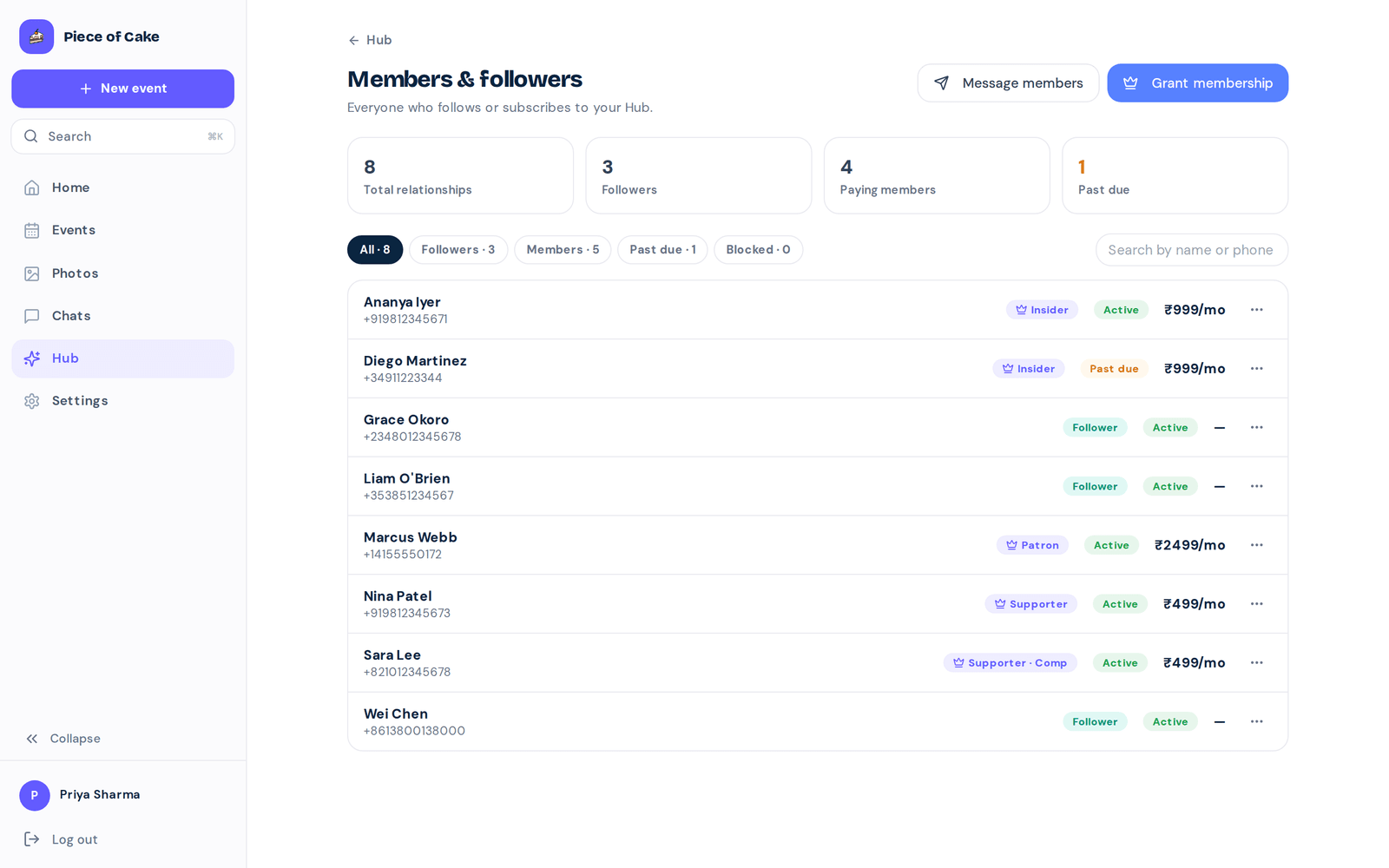
Turn regulars into members.
Give your community a public hub with membership tiers and a real members list — so the audience you build becomes something you own, and can earn from.
Your current stack vs. one AI.
An event page for signups. A group chat for questions. A spreadsheet for the headcount. Or one AI that runs all three from a single command center.
| Event page + group chat + spreadsheet | With Piece of Cake |
|---|---|
| ✕Manually pinging no-replies | ✓It nudges the right people at the right time |
| ✕Guessing if you'll hit headcount | ✓Pace tracking with a heads-up before it slips |
| ✕Answering the same questions all week | ✓A guest AI answers the repeat questions |
| ✕A paper list or clipboard at the door | ✓QR check-in run from your phone |
| ✕Copy-pasting last event's plan | ✓It remembers — your next event is pre-filled |
| ✕No record of what changed or who did it | ✓Every action logged, nothing without your tap |
It runs the event. You hold the keys.
CakeBot tracks and flags on its own. It never messages a guest without your tap.
Ten founding organizers. Early access.
We're hand-picking ten communities to build this with us. White-glove setup, a direct line to the team, and roadmap votes that count double.
🔒 Founding spots are invite-only right now — we reach out to organizers directly.
Organizer questions
Will the AI do things without asking me?
No. Anything that touches your guests, your money, or your data waits for your tap. There are approval gates on the important actions, and a full activity log of everything it did.
Is my community's data safe?
Your data is yours. You can export it anytime, and it is never sold or handed to anyone else.
What does it cost?
Founding organizers get early access and a direct say in what we build, and you will always know before anything changes.
Does it handle recurring events?
Yes — that's the point. It remembers your last event, so your next one comes pre-filled. The more you run, the less you set up.
I already have an event page and a group chat. Why switch?
Those stop at the announcement. This does the work after it — chasing RSVPs, answering guest questions, running check-in — in one command center, instead of three tools stitched together by hand.
Run your next event
on autopilot.
Set up your event workspace and let CakeBot monitor deadlines, responses, budgets and unresolved decisions.
Start now →